Illustration, not a photograph. The consoles and controllers shown are generic and not exact retail hardware.
The best TV for gaming is the one whose panel, ports and processing match the console you own: check the native refresh rate first, then the input lag the set shows in game mode, then how many HDMI 2.1 ports actually carry 4K at 120 Hz. Those three decide whether a PS5 runs at its best and whether a Switch 2 can use its 120 fps modes at all — everything else, from panel technology to brand, comes after them.
Updated November 1, 2026. We have not tested any of these televisions. Every specification below comes from the manufacturer’s own US product, specification or support page, read on November 1, 2026, and the measured numbers are RTINGS’s, credited where they appear. No prices are quoted anywhere in this guide: sales events move them, and the maker’s own page is the place to check.
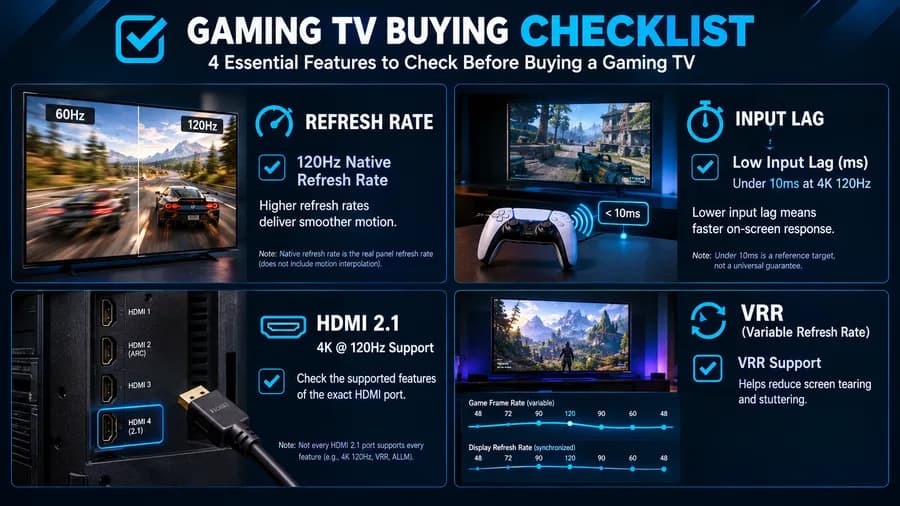
Illustration. The 10 ms figure is a reference target, not a guarantee, and supported features vary by model and HDMI port.
How to Choose the Best TV for Gaming
Five checks cover almost everything, and they are worth doing in this order. Refresh rate decides which frame rates the screen can show. Input lag decides how far behind your button presses the picture is. HDMI 2.1 decides whether 4K at 120 Hz gets into the set at all, and which socket it has to use. VRR and ALLM decide whether the console and the TV stay in step without you changing settings. Panel type and size decide how it looks in your room — and they are the two things you can judge last, because every set below already passes the first four to some degree.
Refresh rate: the native number, not the marketing name
A refresh rate is how many times per second the panel redraws. 60 Hz is the baseline for film and most streaming; 120 Hz doubles it, which is what a console needs to show 120 frames per second; 144 Hz and 165 Hz go beyond that for PC graphics cards. Manufacturers wrap this in names — Samsung sells “Motion Xcelerator 165Hz”, TCL lists “Motion Rate 480 with MEMC” — and those names describe processing as well as the panel. The number to trust is the one in the specification row: LG’s own spec for the C6 reads “120Hz Native (VRR 165Hz)”, and TCL’s for the QM7L reads “Panel Refresh 144Hz”. Motion interpolation can add frames to a film, but it cannot make a console output more frames than the console produces.
What the two consoles can actually use is narrower than the numbers suggest. Sony says the PS5 “supports the HDMI 2.1 specification, and it also supports 4K 120Hz video output”. Nintendo’s specifications for the Switch 2 put TV mode at “a maximum of 3840x2160 (4K) resolution at 60 fps” and say it “supports 120 fps when 1920x1080/2560x1440 resolutions are selected”. A 120 Hz panel with VRR is therefore enough for both consoles; anything above 120 Hz on these two is headroom for a PC.
Input lag: measured in game mode, not printed on the box
Input lag is the delay between pressing a button and seeing the result, and it is usually the difference between a game that feels tight and one that feels heavy. It is not on the specification sheet; it has to be measured, and it changes with the picture mode. RTINGS, which measures it, describes the LG C6’s input lag as “incredibly low” and publishes numbers for one specific setup — Filmmaker Mode with Game Optimizer enabled and the input label set to “PC” — of 21.9 ms at 60 Hz, 13.6 ms at 120 Hz and 4.9 ms at 165 Hz, read November 1, 2026. Those figures are for that configuration, not for every mode on the set.
Response time is a different measurement and it is the one buyers confuse with input lag. It describes how quickly a pixel changes color, and a slow panel smears fast motion even when the input lag is low. RTINGS says the Hisense U7SG “has low input lag and a great selection of gaming features” but that “sports fans and gamers will be disappointed by its slow response time”, and it says the TCL QM7L is “held back by its slow pixel transitions, which lead to very noticeable motion blur when gaming”. OLED panels switch almost instantly, which is why RTINGS calls the LG C6’s response “nearly instantaneous” — and also why it notes the stutter you see when a 24 fps film pans across such a fast panel.
HDMI 2.1: check which port, not just the count
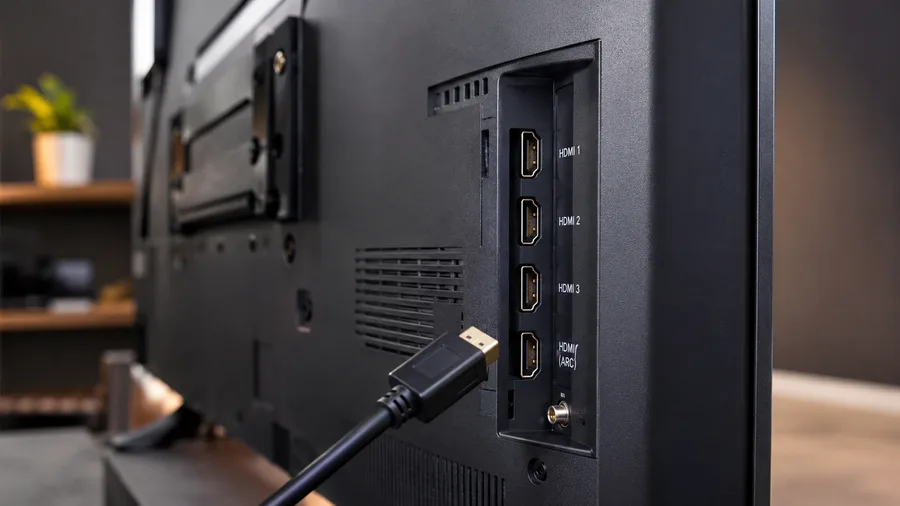
Illustration. Port layout and labels vary by model; check which HDMI port supports the features you need.
4K at 120 Hz needs three things at once: a console that outputs it, an HDMI 2.1 port on the TV, and a cable rated for the bandwidth — Sony’s own troubleshooting asks whether you are “using the cable included with the PS5 console or an Ultra High-Speed Cable that is rated for 4K 120 Hz output” and whether the console is “connected to an appropriate HDMI port (2.1) on the TV”. A set can have four HDMI sockets and still offer 4K120 on two of them, which is exactly what Sony publishes for the BRAVIA 8 II: its specification lists “HDMI inputs total: 4” but notes that “120Hz is supported by HDMI IN 3 and IN 4”. RTINGS adds a practical detail: HDMI 3 is also the eARC port, “so you lose an HDMI 2.1 slot if you connect a soundbar”.
TCL splits its ports the same way for a different reason. The QM7L’s specification reads “4x HDMI 2.1 (HDMI 1-2: 4K@144Hz) | (HDMI 3-4: 4K@60Hz)”, and RTINGS counts “two HDMI 2.1 ports” for that reason. Samsung and LG go the other way: Samsung lists “HDMI Maximum Input Rate 4K 165 Hz (for HDMI 1/2/3/4)” for the S95H, and LG lists four inputs that support “4K 120Hz, eARC, VRR, ALLM, QMS, QFT” on the C6, with eARC on HDMI 2.
VRR and ALLM: what they do, in one line each
Variable refresh rate lets the screen’s refresh follow the console’s frame rate instead of the other way round, which removes most of the judder and tearing you get when a game dips below a fixed 60 or 120. Sony describes it as letting “the refresh rate to adjust in real time while using TVs and games that support VRR”, and warns that “results vary depending on the TV you’re using”. Auto low latency mode is simpler: the TV notices a game signal and switches itself into its low-lag picture mode. Sony notes that the PS5 switches to low latency automatically “even if you set ALLM to Off” when it is using VRR output, and that the console “doesn’t send an ALLM signal when a media app is running” — so a film does not get dragged into game mode.
OLED or Mini-LED for Gaming?
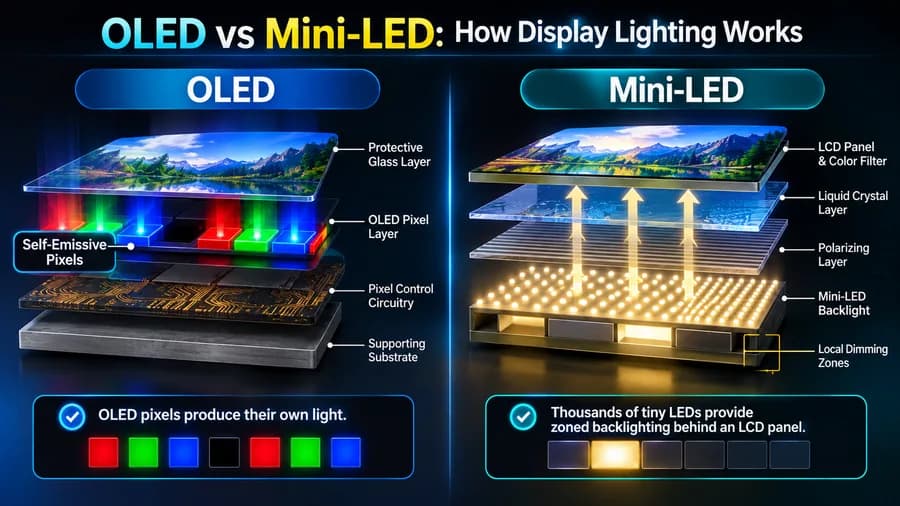
Simplified illustration. Real panel designs vary, and some OLED TVs use a different subpixel layout.
An OLED panel lights each pixel on its own, so black is off rather than dimmed. That gives near-perfect contrast, wide viewing angles and the fast pixel response already described, and it is why the three OLEDs here (Samsung S95H, LG C6, Sony BRAVIA 8 II) are the sets RTINGS describes as best in a dark room. The costs are brightness and image retention: RTINGS reports that on the Samsung S95H “black levels are noticeably raised during the day”, and its reviews of OLED sets flag permanent burn-in as a risk with cumulative exposure to static elements such as a news banner. RTINGS’s accelerated longevity test, last updated October 6, 2026, ran for “nearly 3 years, cumulating more than 10,000 hours of usage for most of the TVs on the test” — that is the scale at which panel wear is being studied, so treat burn-in as a long-term property of the technology rather than a reason to avoid a set you otherwise want.
A Mini-LED set is an LCD with a grid of LEDs behind it and local dimming to switch groups of them down. That buys brightness and, often, a matte coating that handles a bright room well: Hisense’s U7SG and Samsung’s S95H both use anti-reflective finishes, and TCL lists “up to 2,100+ discrete dimming zones” and “up to 3,000 nits” for the QM7L. The trade is pixel response and viewing angle — RTINGS measured the QM7L’s transitions as slow enough to blur fast motion, and notes that its image “degrades rapidly from the sides”. In a room with a window opposite the screen, a bright Mini-LED with a matte finish is usually the more comfortable choice; in a dark room, an OLED is the one that disappears into the black.
What a PS5 and a Switch 2 Ask of a TV
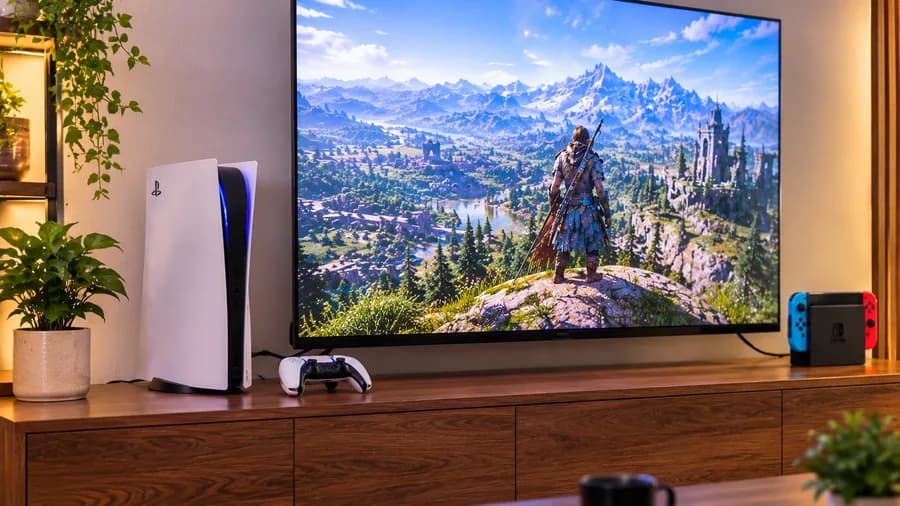
Illustration. The hybrid console shown is not the exact Nintendo Switch 2 design.
The PS5 is the more demanding of the two. Sony’s support pages say all PS5 consoles “have 4K and HDR capabilities”, that the console “supports the HDMI 2.1 specification” with 4K120 output, and that it can test 1440p output at 60 or 120 Hz with VRR. In practice that means a set with at least one HDMI 2.1 port, VRR over that port, HDR and ALLM. Sony’s own BRAVIA 8 II goes further for its own console, listing “Auto HDR Tone Mapping” and “Auto Genre Picture Mode” for PlayStation 5.
The Switch 2 asks for less, and Nintendo is unusually precise about it. In TV mode through the dock the console outputs “a maximum of 3840x2160 (4K) resolution at 60 fps” and reaches 120 fps only at 1920x1080 or 2560x1440, with HDR10 and “VRR up to 120 Hz”. The dock itself carries an HDMI port and a LAN port. So a 4K 60 Hz television will show every Switch 2 game at the resolution the console can produce; a 120 Hz set with VRR only adds something in the 1440p and 1080p performance modes. If you play mostly handheld and dock occasionally, the TV matters far less than the console.
One thing both consoles share: the TV has to be told. Sony’s troubleshooting lists the console’s resolution setting, its video transfer rate, the cable and the TV’s own HDMI setting as the usual reasons a 4K120 signal arrives as 1080p120 or not at all, and notes that “HDMI 2.1 support may require that you change settings via the TV”.
Esports: TV or Monitor?
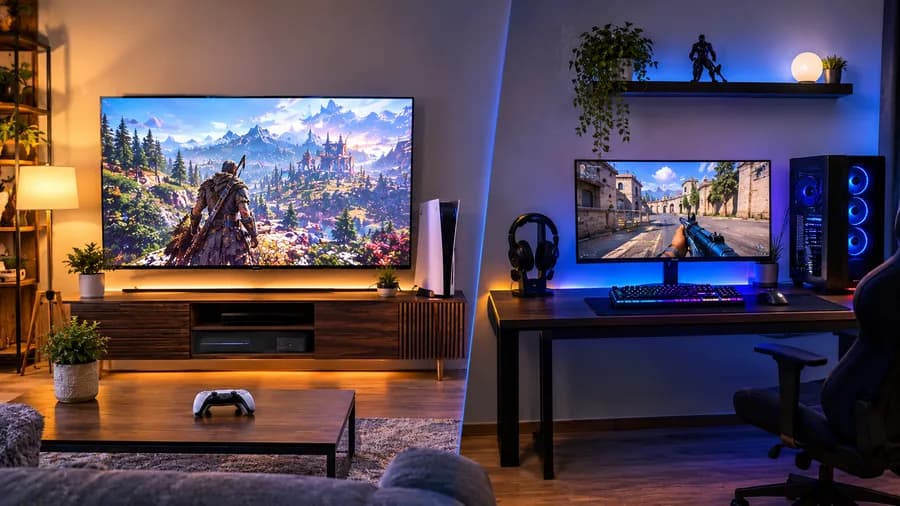
Illustration of two gaming setups: a TV with a console, and a monitor with a PC.
The gap is refresh rate and size, and the specifications make it plain. The fastest televisions in this guide run a 144 Hz or 165 Hz panel at 4K; LG’s own 27-inch UltraGear 27GX790A-B gaming monitor is a 1440p OLED rated at “up to 480Hz” over DisplayPort 2.1, with LG noting that a DisplayPort 1.4 or HDMI 2.1 graphics card is needed for “up to 240Hz”. A console cannot use either extreme: Sony caps the PS5 at 120 Hz output, and Nintendo caps the Switch 2 at 120 fps. For console esports — a fighting game, a racing game, a shooter on a pad — a 120 Hz TV with VRR and low input lag is the practical ceiling, and the extra refresh a monitor offers only pays off on a PC.
Size decides the rest. A 55-inch TV is usually watched from six to nine feet away and fills your view; a 27-inch monitor sits an arm’s length away and keeps the whole frame in focus, which is what competitive players want. A monitor also avoids the picture processing a TV applies by default, though every set here has a game mode that turns most of it off. If your esports ambitions are club-level or you play on a desk, buy the monitor; if the same screen has to serve films, sport and a console in the living room, a 120 Hz TV is the better single purchase.
Five Gaming TVs, Compared on Their Own Specs
These are the five sets this guide covers, each described from what its maker publishes for the US model, read on November 1, 2026. We are not quoting prices: they move with sales events, and a figure copied today would be wrong next week.
Samsung OLED S95H (2026)
Samsung’s flagship OLED for 2026. Samsung’s US specification lists a 165 Hz refresh rate “(VRR Support)”, “HDMI 4” inputs with “HDMI Maximum Input Rate 4K 165 Hz (for HDMI 1/2/3/4)”, “HDR 10+ Yes (Adaptive / Gaming / Advanced)”, a Game Bar, “Auto Game Mode (ALLM) Yes”, “VRR Yes”, FreeSync Premium Pro and G-SYNC. It is sold in 55, 65, 77 and 83 inches. Samsung’s page does not use the term QD-OLED; RTINGS identifies the panel as QD-OLED with a matte finish, calls its reflection handling “outstanding”, and notes that black levels rise “noticeably” in a bright room. It is the set for someone who wants one input for everything: four HDMI 2.1 ports leave room for a console, a PC and a soundbar without unplugging anything.
LG OLED evo C6 (2026)
The middle of LG’s OLED range and the most flexible on ports: LG’s specification gives “HDMI 4ea (supports 4K 120Hz, eARC, VRR, ALLM, QMS, QFT)”, a refresh rate of “120Hz Native (VRR 165Hz)”, “Dolby Vision / HDR10 / HLG”, G-SYNC compatibility and FreeSync Premium, and sizes from 42 to 83 inches — the only set here that goes below 48 inches. It is the obvious pick for a PS5 or a PC in a room where the TV also has to be a television, and it is the set whose measured input-lag figures we could read in full — 21.9 ms at 60 Hz in the configuration described above. Its weaknesses are the ones common to OLED: a glossy finish that shows reflections, and visible stutter on slow film pans.
Sony BRAVIA 8 II (2025, sold through 2026)
Sony’s QD-OLED, sold in 55 and 65 inches, and the one built with a PlayStation in mind. Sony’s specification lists a “Panel Refresh Rate (NativeHertz) 120Hz”, four HDMI inputs where the 2.1 features are “4K120/eARC/VRR/ALLM/SBTM”, 120 Hz support on “HDMI IN 3 and IN 4”, VRR “Yes (for HDMI3/4)” and ALLM “Yes (for HDMI1/2/3/4)”, plus “HDR10, HLG, Dolby Vision”. The two PlayStation features — Auto HDR Tone Mapping and Auto Genre Picture Mode — are Sony-only. The catch is the port count: only two of the four inputs are HDMI 2.1, and one of those is the eARC socket, so a soundbar can leave you with a single 2.1 input. RTINGS also notes that, like most Sony models, its input lag is “a bit higher than competing models from other brands”, while still low enough in Game Mode to feel responsive.
Hisense U7SG (2026)
The value Mini-LED of the group, and the one that scales furthest: Hisense’s specification lists “4 x HDMI 2.1”, a “Native Refresh Rate 165 Hz”, local dimming and Google TV, and Hisense’s launch material describes “Hi-QLED MiniLED Pro with Full Array Local Dimming”, “a native 165Hz refresh rate” and sizes “reaching up to 116 inches”. RTINGS, which tested the 65-inch model, adds VRR support, 165 Hz at 4K or 330 Hz at 1080p, Dolby Vision and HDR10+, and a matte anti-reflective coating, and lists 55, 65, 75, 85, 100 and 116-inch versions. Two caveats worth knowing before you buy: Hisense’s own specification table lists no HDR-format or VRR rows at all — those come from RTINGS and from the launch release — and RTINGS flags the panel’s slow response time as its weak point for fast games.
TCL QM7L (2026)
The other value Mini-LED, and the one with four HDMI 2.1 sockets — with a catch. TCL’s specification lists “Panel Refresh 144Hz”, “Auto Game Mode (ALLM) Yes”, “Variable Refresh Rate (VRR) Yes”, a Game Bar, FreeSync Premium Pro, and “Dolby Vision IQ / HDR10 / HDR 10+ / HLG”. Its HDMI row reads “4x HDMI 2.1 (HDMI 1-2: 4K@144Hz) | (HDMI 3-4: 4K@60Hz)”, so only inputs 1 and 2 carry 4K above 60 Hz, and eARC is on input 4. It comes in 55, 65, 75, 85 and 98 inches. RTINGS tested the 65-inch model, counts two full-bandwidth HDMI 2.1 ports, and says the set is “held back by its slow pixel transitions” in fast motion, while praising its brightness and local dimming.
| TV | Panel | Native refresh | HDMI 2.1 ports | VRR | Dolby Vision | Sizes (US) |
|---|---|---|---|---|---|---|
| Samsung S95H | OLED (QD-OLED per RTINGS) | 165 Hz | 4 of 4, all at 4K 165 Hz | Yes; FreeSync Premium Pro, G-SYNC | No — HDR10+ instead | 55, 65, 77, 83 in |
| LG C6 | OLED | 120 Hz (VRR to 165 Hz) | 4 of 4 at 4K 120 Hz; eARC on HDMI 2 | Yes; HDMI Forum VRR, FreeSync, G-SYNC compatible | Yes — Dolby Vision, HDR10, HLG | 42, 48, 55, 65, 77, 83 in |
| Sony BRAVIA 8 II | QD-OLED | 120 Hz | 2 of 4 (HDMI 3 and 4) | Yes, on HDMI 3 and 4 only | Yes — Dolby Vision, HDR10, HLG | 55, 65 in |
| Hisense U7SG | Mini-LED LCD | 165 Hz | 4 of 4 | Yes (RTINGS; not listed on Hisense’s page) | Yes per RTINGS; Hisense lists no HDR formats | 55 to 116 in |
| TCL QM7L | Mini-LED LCD (SQD) | 144 Hz | 4 inputs, 2 at 4K 144 Hz (HDMI 1 and 2) | Yes; FreeSync Premium Pro | Yes — Dolby Vision IQ, HDR10, HDR10+, HLG | 55, 65, 75, 85, 98 in |
Two notes on that table. Where a maker’s own page does not state something, the cell says so and credits the source that does — Hisense’s product page, for example, has no HDR-format or VRR row, so those two cells rest on RTINGS. And the refresh figures are the panel’s native rate as the maker states it, not the motion-processing number in the marketing copy: LG’s 165 Hz mode needs a PC graphics card that can drive it, as LG’s own footnote says.
Who Should Choose Which
A short version, from the differences above and nothing else:
- Choose the Samsung S95H if the room is bright, the TV sits opposite a window, and you want every HDMI input to carry 4K at 120 Hz or more without counting ports.
- Choose the LG C6 if you want OLED in a smaller size (it is the only set here from 42 inches), the lowest measured input lag of the group, and Dolby Vision.
- Choose the Sony BRAVIA 8 II if a PlayStation 5 is the main console and you want Sony’s own Auto HDR Tone Mapping and Auto Genre Picture Mode — and you can spare one of its two HDMI 2.1 ports for a soundbar.
- Choose the Hisense U7SG if the screen has to be very large and the room is bright; it is the only model here that reaches 100 inches and beyond.
- Choose the TCL QM7L if you want four HDMI 2.1 sockets and Dolby Vision at the value end, and your console will sit on HDMI 1 or 2.
- Buy a monitor instead if your competitive play happens on a PC — a 480 Hz OLED monitor is a different class of display, and the consoles cannot use more than 120 Hz anyway.
Frequently Asked Questions
Not always, but it is what the 120 fps modes need. Sony says the PS5 supports 4K 120Hz video output, and Nintendo says the Switch 2 reaches 120 fps at 1080p or 1440p while 4K output is capped at 60 fps. A 60 Hz TV will still show every game, just not above 60 fps; a 120 Hz set with VRR also removes much of the judder when a game drops below its target.