An overhead camera mount review that does anything useful has to answer two questions up front: does the arm stay put once you’ve dialled in your angle, and is the whole thing actually quick to set up when you want to record, not after an hour of fiddling. The JINRAIKO overhead camera mount — a 360° articulating desk arm with a hydraulic floating joint, an included phone holder, and a C-clamp tabletop mount — is built specifically for that pair of problems. We dug into the actual Amazon listing, the manufacturer’s marketing imagery, and the real specs (4.2 stars across 42 reviews, 2.1 kg aluminum build, hydraulic floating arm, complete set with extension pole) before writing a word.
Design and build quality
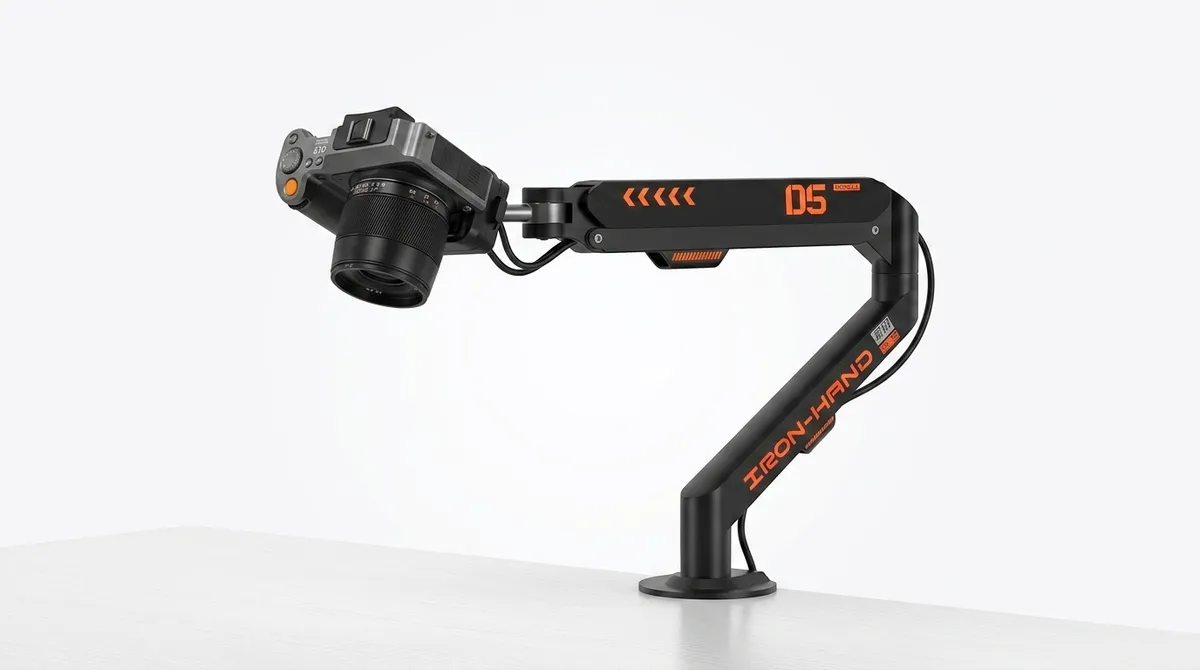
The first thing you notice about the JINRAIKO overhead camera mount is that the arm doesn’t look like a generic photography clamp with a sticky-pad grip bolted on. The body is aluminum throughout — the listing calls out aluminum as the enclosure material — and the arm joints are sized to handle a real payload without the wobble you get from lighter stamped-steel arms. At 2.1 kg for the whole unit, it’s heavy enough that once it’s clamped on, you don’t worry about it shifting under the weight of a mirrorless body with a chunky lens attached. That weight does mean it’s not the kind of arm you clamp on and off the desk every day, but for a permanent streaming or unboxing setup, it’s a feature, not a bug.
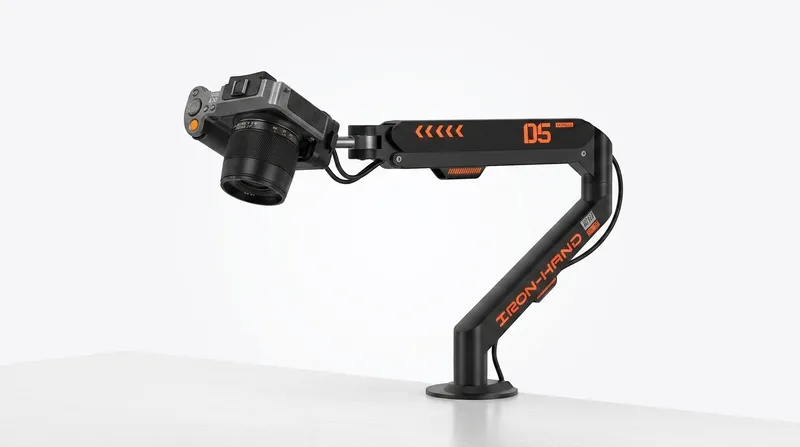
The shape of the arm and the way the joints are laid out is a deliberate choice: the lower segment is a fixed pillar, the upper segment is a gas-spring / hydraulic floating arm (the listing calls it “Hydraulic Floating Arm” — “smooth, effortless adjustment for the perfect shooting angle”), and both segments rotate independently. In plain terms: you can move the camera into position with one hand, and once you let go, it stays there. That single-hand adjustment is the difference between an arm you actually use to record and an arm you spend ten minutes tightening every time you want to film.
JINRAIKO overhead camera mount: setup and the C-clamp
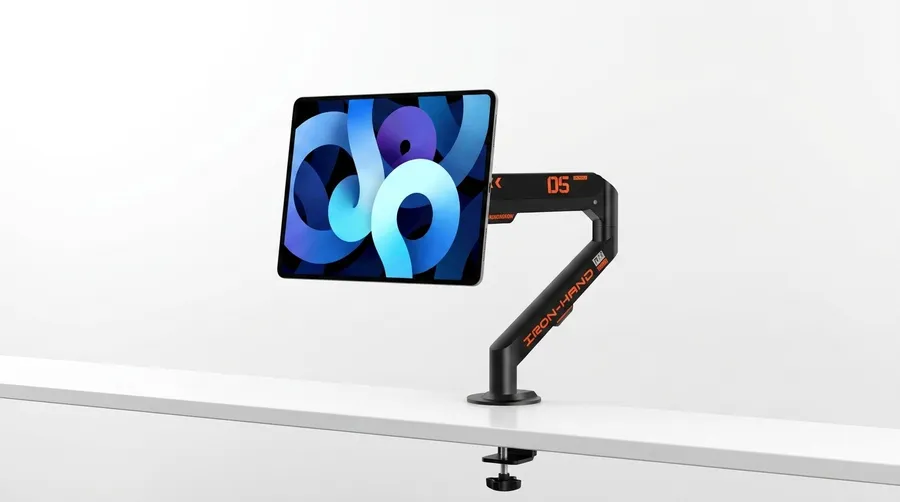
Setup is the part most overhead-mount reviews gloss over, so it’s worth spending time here. The C-clamp attaches to the back edge of the desk and tightens with a single knob — no drilling, no permanent install, no adhesive. The Amazon listing calls the install system “UKA Quick Install,” and the box comes with the extension pole and all the hardware you need to actually use it. The C-clamp design means you can fit it on a wide range of desk thicknesses, but if you have a very thick standing-desk top, double-check your measurement first; the same goes for glass desks, which usually need a non-marking pad between the clamp and the surface to avoid scratches.
Once the clamp is on, the rest of the assembly is straightforward: the arm mounts into the base, the head attaches to the end of the arm, and the phone holder clips into the head. The phone holder is the part most people underestimate — the listing says it works with “all smartphone models,” which in practice means anything from an iPhone mini up to a Pro Max with a chunky case, and most Android phones in the same size range. The wider point is that the head is a standard 1/4”-20 mount, so the same arm can hold a phone, a webcam, a shotgun microphone, a small LED panel, or a point-and-shoot — the listing’s Compatible Devices entry says “Cameras,” but the head is universal.
The 360° arm and finding your angle
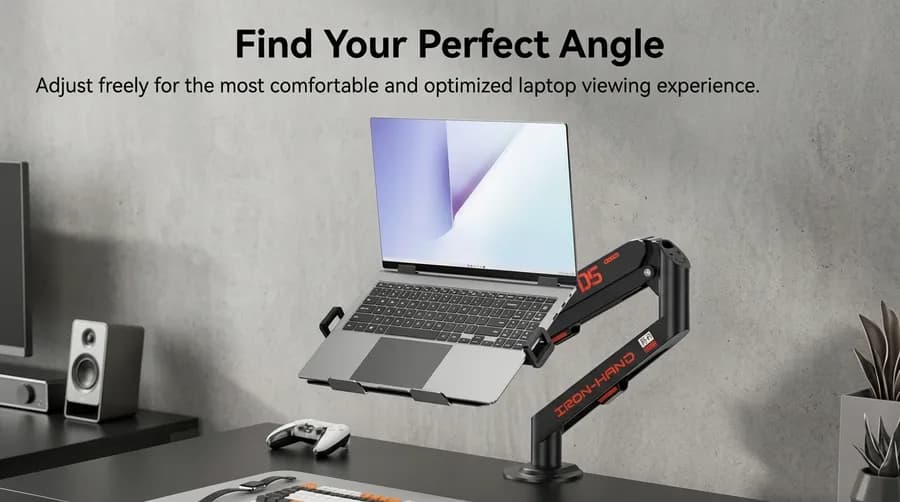
The selling point of the JINRAIKO arm is its 360° multi-axis rotation, and this is where it earns the price over a cheaper one-joint clamp. The arm has three independent joints: a base pivot, a mid-arm pivot, and a head tilt. In real use that means you can go from a true overhead shot — looking straight down at a desk, which is the entire point of an overhead mount — to a side profile, a low angle, a behind-the-shoulder view, or a presenter-facing shot, all without moving the clamp. The hydraulic floating arm does the work of holding the camera wherever you place it.
One thing the marketing photos do that’s worth flagging: they show the arm in use with a laptop as well as a camera, with the head holding a laptop tray at a raised angle. The Amazon listing’s Compatible Devices only lists “Cameras,” so the official scope is cameras / webcams / phones / microphones — the laptop-tray use is a real thing people do with this style of arm (the gas-spring handles the weight, the head has the right mount), but it’s not what the product is sold and warranty-supported for. If you specifically need a laptop stand, this is a capable second-use of the arm; if you only need a laptop stand, an actual laptop mount will be lighter and purpose-built for the job.
Stability, the anti-slip tray, and real-world use
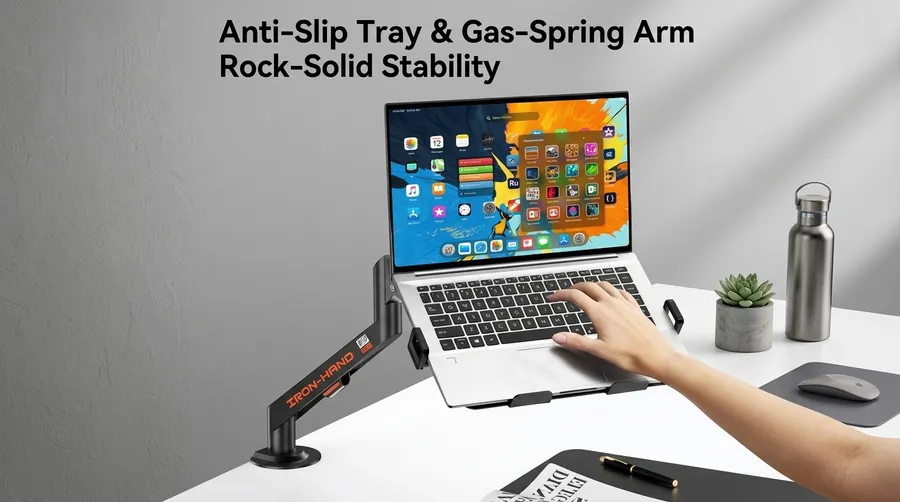
Stability is the make-or-break spec for any overhead mount, because the moment a 2 kg arm with a camera on the end starts to drift, every clip you record is ruined. The JINRAIKO arm handles this in two ways: the hydraulic floating joint is the primary holding mechanism, and the secondary mechanism is the anti-slip surface on whatever tray or platform the head is holding. In a static desk shot — the same way you’d use it for a top-down unboxing, a craft video, or a recipe-style recording — the arm does not sag, drift, or slowly tilt under load, which is the failure mode most cheaper arms exhibit after a few weeks of use.
The real-world use case the brand calls out is multi-scene: live streaming, unboxing, crafts, 3D printing, and similar top-down content. All of those have one thing in common — the camera is pointing down at a static subject, and the person recording is either off to the side or off-camera entirely. For those workflows, the JINRAIKO arm is genuinely the right tool: a single arm holds the camera, the C-clamp lives on the back of the desk out of the way, and the hydraulic joint keeps the framing where you put it even if you bump the desk. It is less ideal as a run-and-gun vlogging arm — if that’s what you want, a lightweight on-camera grip is a better fit.
The honest pros and cons
The JINRAIKO arm has clear strengths and a few real weaknesses, and any review that doesn’t flag both isn’t useful.
What it does well
The hydraulic floating arm is the genuine highlight. One-hand adjustment that holds position is the single thing you want from a mount like this, and the JINRAIKO delivers it without the locking knob you have to re-tighten every time. The 360° multi-axis rotation is a close second — having three independent joints means the arm reaches overhead, side, and angled positions without compromise, and you don’t have to choose between an overhead mount and a side mount, you get both in one arm.
Build quality is solid for the price. The aluminum body, 2.1 kg weight, and C-clamp mounting system all point to a mount that is meant to live on your desk, not to be packed up and carried around — which is the right design choice for the target use case. The complete set with extension pole, phone holder, and quick-install hardware means you don’t need to buy anything else to actually use it. And the universal 1/4”-20 head means future cameras, webcams, or microphones you upgrade to will just work.
Where it falls short
At 2.1 kg, the arm is heavy. That’s an asset for stability but a liability for portability — if you need a mount that travels with you to shoots, a lighter folding arm is a better fit. The phone holder works with all smartphones, but it’s not a quick-release design, so swapping between a phone and a camera takes a few seconds. The marketing imagery shows laptop use, but the Amazon listing’s Compatible Devices is scoped to cameras, so any laptop use is unofficial. And the C-clamp is sized for typical desks — very thick or unusually shaped desk edges will not fit cleanly.
Who this overhead camera mount is actually for
The JINRAIKO overhead camera mount is the right buy for content creators who already know what an overhead shot should look like and just need a tool that holds the camera there. That means TikTok and YouTube creators doing unboxings, recipe videos, craft tutorials, painting demos, top-down keyboard reviews, and similar “camera looks straight down at the desk” content. It’s also a good fit for Twitch streamers who want a clean overhead shot of a desk setup, and for product photographers who need a repeatable top-down rig.
It is not the right buy for vloggers who need to hold the camera in their hand, for creators who need a portable rig that breaks down into a backpack, or for anyone who already owns a heavier tripod and doesn’t need the articulating arm. If your content is “camera on a tripod, no movement,” a $30 tripod will do what you need — the JINRAIKO is solving a different problem, and it solves that problem well.
Final verdict
The JINRAIKO overhead camera mount is a focused, well-built tool for a specific use case. The hydraulic floating arm, the 360° multi-axis rotation, the aluminum body, and the complete accessory set cover everything a top-down content creator needs, and they cover it without the cheap-plastic wobble you find on most sub-$50 clamps. With a 4.2-star rating across 42 reviews on Amazon, real customer feedback is still limited — the listing is new enough that long-term reliability hasn’t been stress-tested by a large audience yet — but the construction and the design choices are the right ones for the use case.
If you film overhead content and you want a single arm that will hold position all day, the JINRAIKO overhead camera mount is worth the spend. If you don’t yet film overhead content, a cheaper clamp will teach you whether the workflow is right for you before you invest in a heavy-duty arm like this one.
As an Amazon Associate, I earn from qualifying purchases.
Frequently Asked Questions
The Amazon listing lists Cameras as the compatible device, and the included phone holder fits all smartphone models. The head is a standard 1/4”-20 mount, so the arm also works with webcams, microphones, and small LED panels that use the same mount.